
PraxeumOne course. One company. Every decision on the record.
Explore Praxeum.
Students learn the theory of marketing in lectures. In Praxeum they practise it.
Each group runs a company for the length of the course, makes a marketing decision every week and answers for it. The instructor marks the work against their own rubric and decides what the group sees.
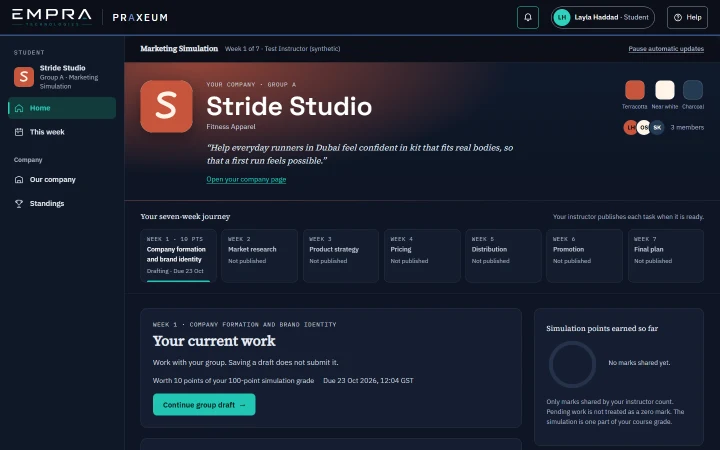
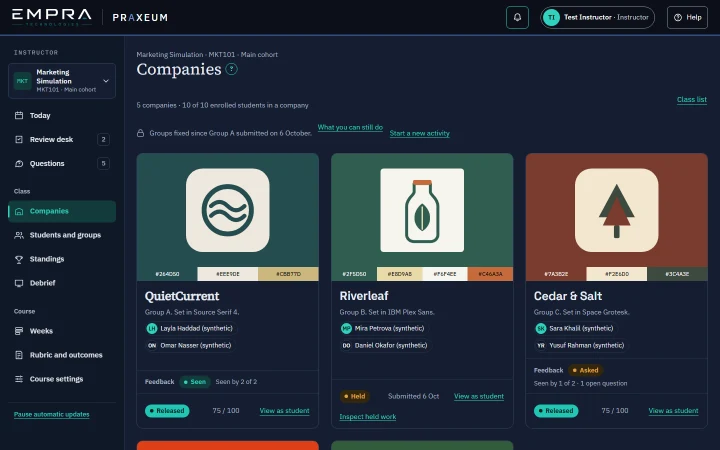
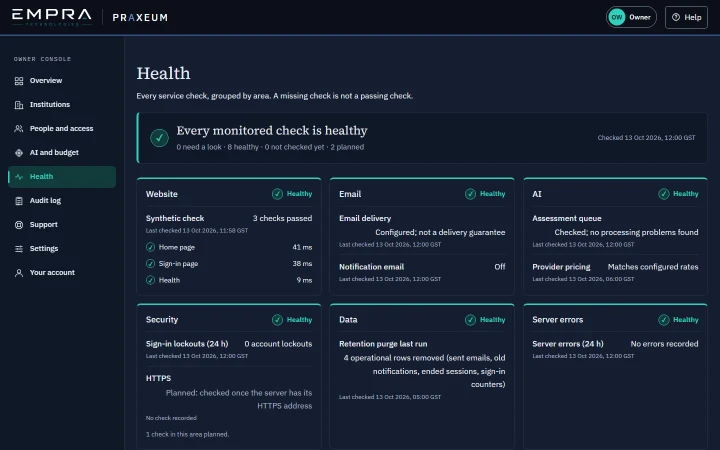
A week in Praxeum, from decision to feedback.
The story moves forward, but the rhythm holds. The instructor sets the levels first; any AI assessment comes after, as a check.
- Students
The group decides
Around one table, students argue it out and commit to an answer. Every field comes with guidance and an example.
A last look at your work against the marking guide, in plain questions, before you submit. It is a checklist, not a test.
- Instructor
The instructor marks first
By default, the instructor sets a level on each criterion against the course rubric before any AI assessment can be seen.
Blind first · the AI assessment opens after your levels
- AI assessor
The AI checks the reading
Then, on a calibrated week, the AI assessment appears beside those levels with each difference marked. The instructor releases every result.
Assessments labelled “illustrative” were written by a person from the rubric for demonstration.
- Students
The group comes back stronger
Feedback in hand, the group revises once, and the better attempt counts.
You can ask your instructor one question per criterion.
- Instructor and students
The standings take shape
Standings may change until every group’s week is released.
All seven weeks and the market simulation are in the product today. AI assessment joins each week once that week passes calibration.
A workspace for every role.
By default the instructor marks first and the AI checks after. No feedback reaches a student until an instructor releases it.
Works in a group inside an activity. Every member of the group can edit and save the group's work. Only the group's named submitter can submit it.
Sets up the course, publishes Week 1, reviews each group's work and releases feedback.
Runs the university's account: invites instructors and students, manages seats and enrolment, deactivates accounts, helps students and instructors who cannot sign in, and sees the subscription. The administrator does not review or release student work.
EMPRA staff. Creates institutions and their subscriptions, watches the health of the service and helps anyone at a university who cannot sign in. The owner can only see inside a university's courses through an audited support session.
Book a demo
See Praxeum run a real course week, from brand brief to released feedback. If it fits your teaching, we'll set up a pilot with your own cohort.